Affiliate disclosure: As an Amazon Associate, TechVibeSpot earns from qualifying purchases. Some links below are affiliate links, so if you buy through them I may earn a small commission at no extra cost to you. It never changes which lock I recommend.
How we assess: this Teeho door lock verdict is based on the manufacturer’s published specs, ANSI/BHMA grading, listing data, and a stack of real owner reports — not a sponsored placement. Here’s how we review.
TL;DR: The Teeho door lock — specifically the TE001 keypad deadbolt — is the budget keyless lock I keep recommending to people who want to ditch their keys without spending $200. For roughly $40–$75 you get an ANSI Grade 3 deadbolt, 20 user codes, a one-touch auto-lock, IP54 weather resistance, and two backup keys. It’s not a smart lock — no Wi-Fi, no app, no phone alerts on the base TE001. But as a dumb, reliable, code-only deadbolt for a front or back door, it punches far above its price. Step up to the TE002 if you want a fingerprint reader, or the Wi-Fi model if you truly need remote control. Updated September 2026.
Key takeaways
- The Teeho TE001 is a keypad deadbolt, not a connected smart lock — it runs entirely on-device, with no Wi-Fi and no app, which is a feature for some people and a dealbreaker for others.
- It’s an ANSI/BHMA Grade 3 deadbolt with 20 programmable codes, one-time guest codes, anti-peep password padding, and auto-lock you can set from 10 to 99 seconds.
- Power is 4 AA batteries lasting about a year, with a low-battery alert and a micro-USB emergency jump plus two physical keys as backup.
- Real price as of September 2026 sits around $40–$75 depending on finish and sales — genuinely one of the cheapest legitimate keyless deadbolts you can buy.
- Best for renters, first-time keyless buyers, back doors, and anyone who thinks a Wi-Fi lock is solving a problem they don’t have.
What the Teeho door lock actually is
The Teeho door lock is a keypad deadbolt: a battery-powered lock that replaces your existing deadbolt and opens when you punch in a code. The one almost everyone means when they say “Teeho lock” is the TE001, the company’s bestselling model and the one this review centers on. There’s no fingerprint sensor on it, no Bluetooth, no Wi-Fi, and no phone app. You program codes directly on the keypad, and the lock does its job standing entirely on its own.
I want to set expectations right at the top, because Teeho’s own catalog blurs the line. “Teeho door lock” covers a whole family now: the TE001 (keypad only), the TE002 (keypad plus a fingerprint reader), the TE002H and TE001K sets that bundle a matching passage knob, and newer Wi-Fi models with a lever handle and Alexa support. They share a look and a design language, but they are not the same product at three prices. This guide treats the TE001 as the hero — because it’s the one that made Teeho a household name in the budget-lock world — and tells you exactly when to jump up the ladder.
Teeho is a specialist. The brand does keypad and fingerprint deadbolts and not much else, and it competes almost entirely on price and simplicity against names like Wyze, Kwikset, and Schlage. The pitch is straightforward: keyless entry that costs less than dinner for four, installs with a screwdriver, and doesn’t drag you into an app ecosystem. Whether that pitch lands depends entirely on what you actually want from a lock.
Who this Teeho lock is for
This lock earns its keep for a specific kind of buyer, and it frustrates a different kind. It’s for you if any of these sound like you:
- You’re a renter or a first-time keyless buyer. Cheap enough that you won’t cry if you move and leave it, simple enough that there’s no learning curve.
- You want keyless entry without a subscription or an app. No account, no cloud, no “connect to Wi-Fi” dance. Codes live on the lock.
- You’re outfitting a back door, side door, garage entry, or rental unit where you want a code but don’t need remote management.
- You give out temporary access — a dog walker, a cleaner, a weekend guest — and want a one-time code you can burn after use.
It’s the wrong lock if you want to unlock the door from your phone while you’re at work, get a push alert every time someone comes home, or tie the lock into a smart-home routine. That’s connected-lock territory, and the base TE001 does none of it. If that’s you, look at our roundup of budget smart locks under $100 or the models that keep a physical key backup instead.
Teeho TE001 specs and pricing at a glance
Here’s the field laid out, with the closest siblings for context. Prices move constantly on Amazon, so treat these as a September 2026 ballpark and confirm the live listing.
| Model | Unlock methods | Codes | Grade | Battery | Weather | Approx. price (Sep 2026) |
|---|---|---|---|---|---|---|
| Teeho TE001 (keypad deadbolt) | Code + key | 20 users, one-time codes | ANSI Grade 3 | 4 AA, ~1 yr | IP54 | $40–$75 |
| Teeho TE002 (fingerprint) | Fingerprint + code + key | 20 users + prints | ANSI Grade 3 | 4 AA, ~1 yr | IP54 | $60–$90 |
| Teeho TE001K (set w/ knob) | Code + key | 20 users, one-time codes | ANSI Grade 3 | 4 AA, ~1 yr | IP54 | ~$74–$130 |
| Teeho Wi-Fi lever set | Code + fingerprint + app + key | App-managed | BHMA Grade 3 | AA, ~8–12 mo | IP54 | $110–$150 |
The base TE001 is the value play. You’re getting 4-to-10-digit codes, a backlit keypad, anti-peep password padding (you can pad the real code with junk digits so a watcher can’t clock it), one-touch locking, adjustable auto-lock from 10 to 99 seconds, a low-battery alert, and a micro-USB port on the underside for an emergency power jump if the batteries ever die on you. Two mechanical keys come in the box as the ultimate fallback. That’s a genuinely complete feature set for a lock in this price band.
The honest point-by-point walkthrough
Here’s what actually matters once a Teeho TE001 is on your door, point by point, with a verdict on each.
Installation
This is where Teeho quietly wins over first-timers. The TE001 fits a standard door prep — adjustable backset for 2-3/8″ or 2-3/4″, a 2-1/8″ bore — and swaps in for an existing deadbolt with nothing more than a Phillips screwdriver. Most people report a 15-to-30-minute job. The instructions are clearer than the price suggests, and there’s no app pairing to fumble because there’s no app. Verdict: about as painless as a keyless install gets. [ADD YOUR EXPERIENCE: how long did your install actually take, and did the backset adjustment line up with your door on the first try?]
Everyday unlocking and the keypad
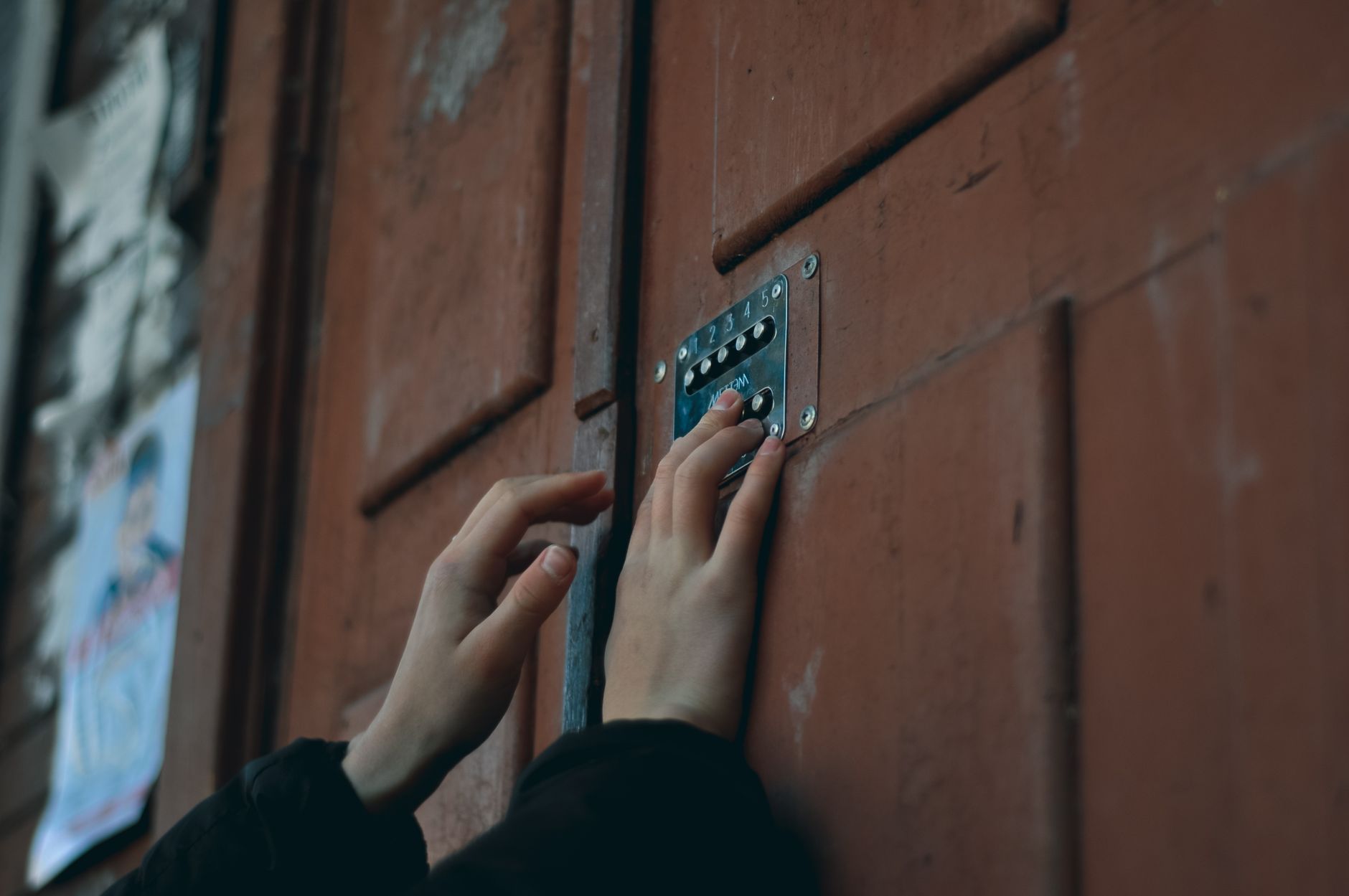
The keypad is backlit and responsive, and a short code beats fishing for keys with an armful of groceries. One-touch locking on the way out is the small luxury you don’t appreciate until you have it — tap once and the deadbolt throws. The anti-peep feature genuinely works: you can bury your four-digit code inside a longer string of random presses and the lock only checks for your sequence, so a neighbor watching over the fence learns nothing. Verdict: fast, and smarter about shoulder-surfing than most cheap locks.
Auto-lock and code management
Twenty codes is plenty for a household, and the one-time code — which self-deletes after a single use — is the standout for anyone handing out temporary access. Set auto-lock anywhere from 10 to 99 seconds and the door secures itself behind you, which quietly fixes the single most common way people leave a house unlocked. Managing codes on the keypad is a menu-driven affair; it’s fine, but with 20 codes and no app, you’ll want to keep a written note of who has which. Verdict: strong for the price, if a little old-school to administer.
Battery life and the dead-battery plan
Four AA batteries run the TE001 for roughly a year of normal use, and the lock nags you with a low-battery warning well before it quits. If you ignore every warning and it dies anyway, there are two escape hatches: the micro-USB port on the bottom edge lets you jolt it awake with a power bank long enough to type your code, and the two physical keys open it the old-fashioned way. That’s a better dead-battery story than plenty of pricier locks. Verdict: honest battery life with real backups — no lockout anxiety. [ADD YOUR EXPERIENCE: how many months did your first set of AAs actually last?]
Build quality and weather resistance
The TE001 carries an IP54 rating and an operating range of roughly -22°F to 158°F, so it survives rain, snow, and summer heat on a reasonably sheltered door. The body is aluminum with a zinc deadbolt, and at this price you should be realistic: the finish and heft don’t match a Schlage. Owners in exposed, driving-rain positions occasionally report keypad quirks over time, which is why I’d put it on a door with at least a little overhang. Verdict: solid for the money, but treat it as weather-resistant, not bombproof.
What no one else tells you about the Teeho door lock
Most reviews list the features and call it a day. Here’s the part that gets left out.
The TE001 not being “smart” is the best thing about it. The entire budget smart-lock category is a graveyard of Wi-Fi modules that drop off the network, apps that need updating, and cloud accounts that outlive the company that made them. The base TE001 sidesteps all of it by refusing to connect to anything. There’s no attack surface over the air because there’s no radio. There’s no app to abandon because there’s no app. For a huge number of people, “I just want a code on my door” is the whole requirement, and paying extra for connectivity means paying extra for more things that can break. The TE001’s dumbness is a deliberate, underrated virtue — and it’s why it keeps outselling flashier locks.
The grade number matters less than the door it’s on. ANSI Grade 3 is the residential entry tier, and marketers love to wave it around. But a Grade 3 deadbolt in a solid frame with a reinforced strike and long screws will resist a kick far better than a Grade 1 lock screwed into a splintery original jamb with half-inch screws. The single highest-value upgrade you can make to any Teeho lock is spending $12 on a strike-plate reinforcement kit and 3-inch screws that bite into the wall stud. No lock stops a determined intruder; what stops the casual one is the frame. Spend your attention there, not on the grade sticker.
Teeho vs the alternatives
Should you even be looking at Teeho, or at one of the names next to it on the shelf? Here’s the straight comparison.
| Teeho TE001 | Wyze Lock Bolt | Kwikset keypad deadbolt | |
|---|---|---|---|
| Unlock | Code + key | Fingerprint + code (Bluetooth) | Code + key |
| App / remote | None | Bluetooth app (no Wi-Fi) | Model-dependent |
| Physical key backup | Yes (2 keys) | No | Yes |
| Grade | ANSI 3 | ANSI 2 | ANSI 2–3 |
| Battery | 4 AA, ~1 yr | AA, ~6 mo | AA, ~1 yr |
| Typical price | $40–$75 | $70–$100 | $90–$180 |
The short version: the Teeho undercuts almost everything and keeps a physical key, which the keyless-purist Wyze deliberately drops. Wyze gives you a fingerprint and a slicker app but no keyhole, so a dead battery is more stressful. Kwikset brings brand trust and often a higher grade, at a real price premium. If you specifically want to compare the two budget darlings head to head, we broke it down in Teeho TE001 vs Wyze Lock Bolt. New to the whole category? Start with our overview of front door lock types.
Which Teeho door lock should you buy?
Best value and budget pick: Teeho TE001 (under $100)
For most people asking “is the Teeho lock worth it,” the answer is the plain TE001, and it comfortably lands under $100 — usually well under. Code entry, one-touch lock, auto-lock, anti-peep, two backup keys, and a year of battery. It does the core job of a keyless deadbolt and skips everything you’d pay extra to maybe-not-need. One CTA: Check the Teeho TE001 price on Amazon. Prefer a specific finish? Here’s the satin nickel TE001. [ADD YOUR EXPERIENCE: confirm the live price and note which finish you actually installed.]
Step up for fingerprints: Teeho TE002
If typing a code every time feels like one step too many, the TE002 adds a fingerprint reader that unlocks in about a second, on top of the same codes and key backup. It’s the upgrade I’d suggest for families with kids who’ll never remember a PIN, or anyone who just wants to touch and go. One CTA: See the Teeho TE002 fingerprint deadbolt on Amazon.
Only if you truly need remote: Teeho Wi-Fi model
If, and only if, you genuinely need to unlock the door from your phone or get entry alerts, Teeho’s Wi-Fi lever set adds app control and Alexa voice with no separate hub. Go in knowing you’re now signing up for the very connectivity headaches the TE001 avoids — but for a rental you manage remotely, it can be worth it. One CTA: See the Teeho Wi-Fi keyless entry set on Amazon.
Who should buy the Teeho — and who should skip
Buy a Teeho door lock if you’re the renter who wants keyless without commitment, the first-timer who wants the cheapest legit way off keys, the back-door or garage owner who just needs a code, or the host who hands out one-time access. For those people, nothing at this price does the job better.
Skip it if you want phone unlocking and alerts on the base model, you’re mounting it on a fully exposed door in a punishing climate, or you want the reassuring heft and brand backing of a premium lock and are willing to pay for it. For you, a connected lock or a higher-tier brand is the honest call — start with our best keypad deadbolts under $100 or the smart locks that work with Alexa.
The honest limits
I’m not going to oversell a $50 lock. The real limits, plainly: the base TE001 has no app, no Wi-Fi, and no remote anything, so if you decided later you want phone control, you’re buying a different lock; the build is good-for-the-price, not premium, and it feels it; fully exposed installations in driving rain are where the occasional keypad complaint comes from; and code administration is manual, so a busy household should keep a written record of who holds which code. None of these are dealbreakers for the buyer this lock is built for. All of them are dealbreakers for someone who actually wanted a smart lock and talked themselves into a cheaper one. Match the tool to the job.
The verdict: The Teeho TE001 is the best keyless deadbolt you can buy for under $75 — as long as you want a code on your door, not a computer.
Frequently asked questions
Is the Teeho door lock a smart lock?
The base Teeho TE001 is a keypad deadbolt, not a connected smart lock. It has no Wi-Fi, no Bluetooth, and no app — you program codes directly on the keypad and it runs entirely on-device. Teeho does sell separate Wi-Fi models with app and Alexa control if you need connectivity.
How much does the Teeho TE001 cost?
As of September 2026, the Teeho TE001 keypad deadbolt typically runs about $40 to $75 depending on finish and current sales, making it one of the cheapest legitimate keyless deadbolts available. The fingerprint TE002 runs a bit higher, around $60 to $90.
How long does the Teeho lock battery last?
The TE001 uses four AA batteries and lasts roughly a year under normal use. It gives a low-battery warning before it quits, and if the batteries die completely you can power it briefly through the micro-USB port with a power bank or use one of the two included physical keys.
Is the Teeho door lock secure?
It’s an ANSI/BHMA Grade 3 residential deadbolt with anti-peep code padding and auto-lock, which is solid for the price. As with any lock, real-world security depends more on your door, frame, and strike plate than on the lock itself — reinforcing the strike with long screws is the highest-value upgrade you can make.
Can you install a Teeho lock yourself?
Yes. The TE001 fits standard door prep with an adjustable backset and installs with a Phillips screwdriver in about 15 to 30 minutes. Because there’s no app pairing, there’s no setup step beyond programming your first code on the keypad.
Does the Teeho lock have a key backup?
Yes. Every TE001 ships with two physical keys, so you’re never locked out even if the electronics fail or the batteries die. This is a real advantage over keyless-only competitors like the Wyze Lock Bolt, which drops the keyhole entirely.
Can I give guests a temporary code on a Teeho lock?
Yes. The TE001 supports one-time codes that automatically delete after a single use, which is ideal for a cleaner, a contractor, or a weekend guest. It supports up to 20 user codes total, each 4 to 10 digits.
Is the Teeho lock weatherproof?
It carries an IP54 rating and operates from about -22°F to 158°F, so it handles rain, snow, and heat on a reasonably sheltered door. For a fully exposed door in a harsh climate, choose a position with some overhang, since that’s where the occasional keypad complaint comes from.
Teeho TE001 vs TE002 — what’s the difference?
The TE001 unlocks with a code or key. The TE002 adds a fingerprint reader that opens the door in about a second, while keeping the same code and key options. Choose the TE002 if you want touch-and-go entry, especially for kids or anyone who won’t reliably remember a PIN.
Does the Teeho lock work with Alexa or Google Home?
The base TE001 does not — it has no wireless radio at all. Only Teeho’s separate Wi-Fi lever models support Alexa voice control and app access. If voice or remote control matters to you, you need one of those, not the TE001.
About the author — Naveen Kumar Durai
I’m Naveen, the person behind TechVibeSpot. I research smart locks and home security the boring, thorough way — specs, standards, and real owner reports — so you don’t have to. No hype, just what I’d tell a friend. See how we review.